OxyGuide Comfort Battery Not Holding Charge: Solutions
If you rely on your OxyGuide Comfort for daily oxygen therapy, a battery that fails to hold a charge can be disruptive and anxiety-inducing. This common issue often stems from battery age, improper charging habits, or internal power management faults. In this guide, we’ll walk through the most effective solutions to restore your battery’s performance, covering diagnostics, replacement options, and preventive care—all tailored to the OxyGuide Comfort system.
Why Is My OxyGuide Comfort Battery Losing Charge So Quickly?
Sudden battery drain is frequently a symptom of natural degradation. Most OxyGuide Comfort batteries are rated for 300–500 full charge cycles—typically 1.5 to 2.5 years of regular use. After this point, their capacity drops noticeably. If your unit goes from a full charge in the morning to “Low Battery” by lunch, you’re likely dealing with cycle exhaustion. Check the battery’s serial number via the device menu (Settings > Battery Info) to see its age and remaining capacity percentage. A reading below 70% confirms replacement is needed soon. Also, ensure you’re using the original 5V/3A power adapter; third-party chargers can under-power the battery’s management system, preventing full saturation.
Another less common reason is a faulty battery drain issue caused by a stuck charging MOSFET inside the device—this can drain power even when the concentrator is off. In such cases, a simple reset often helps: turn off the unit, remove the battery and AC cord, press and hold the “On/Off” button for 30 seconds, then reconnect everything. If the drain persists after this, a hardware repair may be necessary.
How Can I Test If the Battery or the Charger Is Faulty?
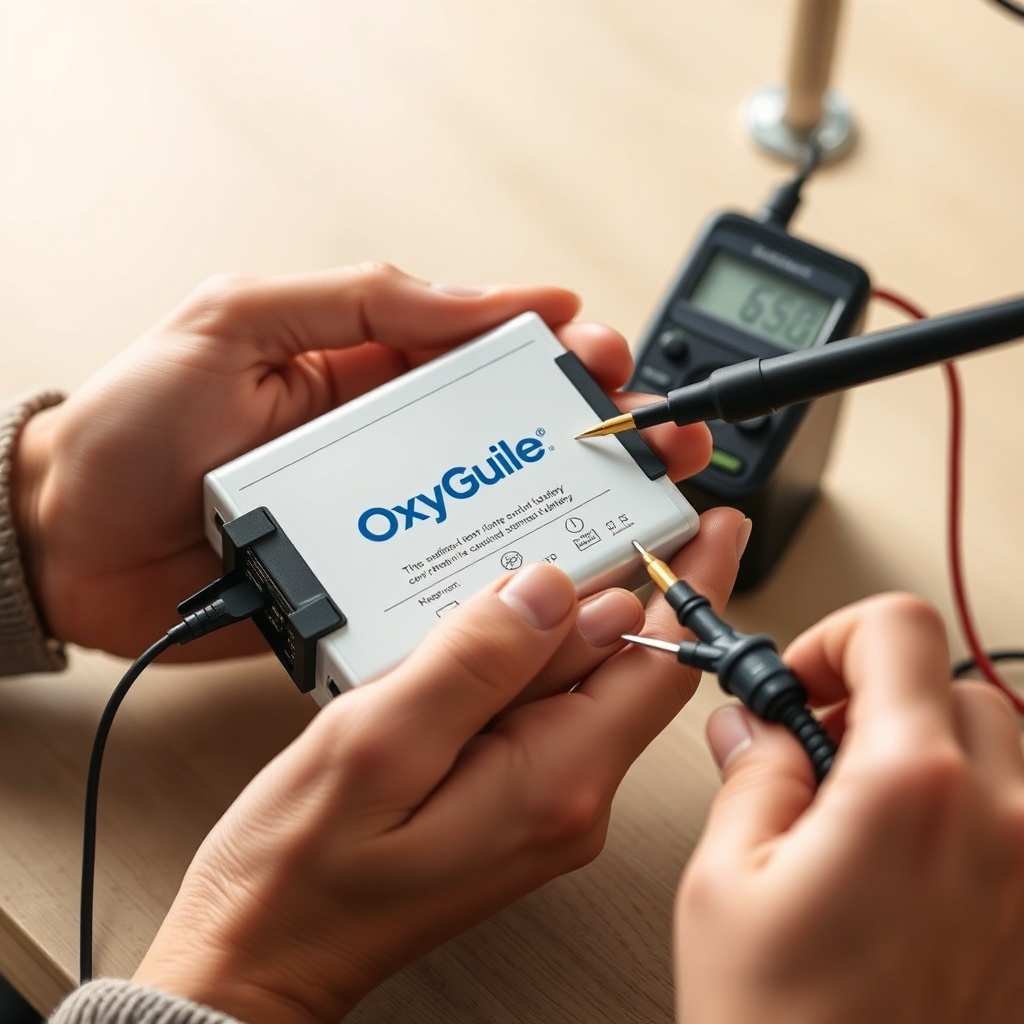
To isolate the problem, you need a multi-step diagnostic approach. First, visually inspect the charging port on both the battery and the OxyGuide Comfort for bent pins, corrosion, or debris. Clean contacts gently with a dry, lint-free cloth. Second, use a multimeter to measure the output voltage of your charger—without a load, it should output 5.0V (±0.25V). If you don’t have a multimeter, substitute with a known working OxyGuide Comfort charger from a friend or provider.
Third, if you have access to a second OxyGuide Comfort battery (e.g., from a loaner or second unit), test your suspect battery in that machine. If it still won’t hold a charge, the battery is the culprit. Conversely, if the suspect battery performs fine in another unit, the problem lies in your OxyGuide Comfort’s power board. Below is a quick severity table to guide your next steps.
| Symptom | Likely Cause | Severity | Action Required |
|---|---|---|---|
| Charges to 100% but dies in <2 hours | Battery cycle exhaustion | Moderate | Replace battery (approx. €220 / $240) |
| Never charges above 30% | Charger fault or deep discharge | High | Test charger; if good, replace battery |
| Battery drains when off (idle) | Internal power leak | Moderate-High | Hard reset; if persists, check idle drain fixes |
| Charger LED stays green but unit won’t charge | Faulty charging circuit | Critical | Contact service center or replace power board |
What Is the Correct Charging Routine for Long Battery Life?
Proper charging habits can double the lifespan of your OxyGuide Comfort battery. Avoid deep discharges below 20% whenever possible—lithium-ion batteries in this concentrator fare best when kept between 20% and 80% for daily use. Never leave the battery on the charger for more than 24 hours, as trickle charging can stress cells. Best practice: charge only until the green LED stays solid, then unplug. If you store the unit for a week or more, keep the battery at about 40–60% charge in a cool, dry place (10–25°C).
Also, limit the use of high-flow settings (above 3 L/min) while on battery power; the pulse-dose efficiency of the OxyGuide Comfort is optimized for lower settings, and continuous flow draws significantly more current, accelerating battery wear. If you must use continuous flow, plug into AC power when possible.
When Should I Replace the OxyGuide Comfort Battery?
Replace the battery if you experience any of these three conditions: (1) the runtime on setting 2 (pulse dose) drops below 2.5 hours (the new battery yields 4.5–5 hours); (2) the battery swells visually—stop using it immediately due to fire risk; (3) the capacity reported in the device settings is under 60%. Replacement batteries are available from authorized dealers at approximately €220–€250 (£190–£215 / $240–$270). Always insist on genuine OEM parts—third-party alternatives can cause charging errors and void your warranty.
When sourcing a new battery, verify the model number (usually printed on the battery’s label—look for “OC-BAT-01” or similar) to ensure compatibility. If you frequently fly, note that replacement batteries must be FAA-approved for air travel, which genuine units are—but check the label for “Wh” rating (under 160 Wh) and the “UN38.3” stamp to avoid issues at security.
How Do I Perform a Hard Reset on the OxyGuide Comfort?
A hard reset can resolve many “not holding charge” issues by reinitializing the battery management system. Here’s the step-by-step:
- Turn off the OxyGuide Comfort completely.
- Disconnect the battery and the AC power cord.
- Press and hold the “On/Off” button for a full 30 seconds. You may see a brief flash of LEDs; that’s normal.
- Reconnect the battery alone (without AC cord).
- Press the “On/Off” button once to turn on the unit. Let it stay on for 2 minutes—this allows the system to recalibrate its charge level.
- Turn it off, then reattach the AC charger. Charge the battery fully, uninterrupted, for 6–8 hours.
If after a hard reset your battery still shows erratic charge levels or drops quickly, it’s likely a hardware failure. In that case, consider troubleshooting low oxygen alarms as well, as low battery can trigger false sensor warnings.
What Owners Say
Users in online OxyGuide forums frequently discuss battery issues. A recurring theme is that the original battery often works well for 18 months before noticeable degradation occurs. “I bought my OxyGuide Comfort in March 2023, and by January 2024 the battery would only last 2 hours on setting 2,” says user ‘LungMama’. “After I replaced it with an OEM unit, I got the full 4.5 hours back. Worth every euro.” Many owners also mention that hard resets solved intermittent “no charge” glitches, especially after the device was left unused for a month.
Another common observation involves noise when charging. Some users note a faint whine from the charger brick. The noise comparison with the Philips SimplyGo Mini shows the OxyGuide Comfort charger is generally quieter, but if you hear loud buzzing, it may indicate a failing adapter. A few owners have also reported that using the device while charging (pass-through operation) can confuse the fuel gauge, leading to inaccurate percentages. The consensus: charge the battery separately when possible for best accuracy.
Frequently Asked Questions
Q: How long does an OxyGuide Comfort battery last on a full charge?
A: Under standard pulse dose settings (setting 2, 12 breaths per minute), a new battery provides 4.5–5 hours. On continuous flow at 2 L/min, runtime drops to approximately 3 hours. These figures decrease as the battery ages.
Q: Can I replace the OxyGuide Comfort battery myself?
A: Yes, the battery is user-replaceable. Slide the release latch, pull the battery out, and insert the new one. No tools required. Ensure the new battery has the same part number (OC-BAT-01) and is fully charged before first use.
Q: Does the OxyGuide Comfort charge faster with a USB-C PD charger?
A: No. The OxyGuide Comfort only accepts its proprietary barrel connector charger (5V/3A). Using a USB-C PD charger via an adapter may not work or can damage the battery management circuit. Stick to the included charger.
Q: What should I do if my battery swells?
A: Stop using the battery immediately. Swelling indicates internal cell damage and presents a fire risk. Dispose of the battery at a certified e-waste recycling center. Never puncture or throw it in household trash.
Q: Why does my OxyGuide Comfort battery show 100% in settings but only runs for 30 minutes?
A: This is a classic sign of battery capacity fade. The percentage is based on voltage, not actual remaining energy. You need a replacement battery. The “fuel gauge” is no longer accurate after heavy cycle use.
Q: Can flying affect my OxyGuide Comfort battery’s ability to hold a charge?
A: Airplane cabin pressure changes can temporarily affect battery voltage readout, but this doesn’t cause permanent damage. However, ensure your battery is fully charged before travel and carry the original charger. For more flight-ready advice, see our FAA approval guide.