
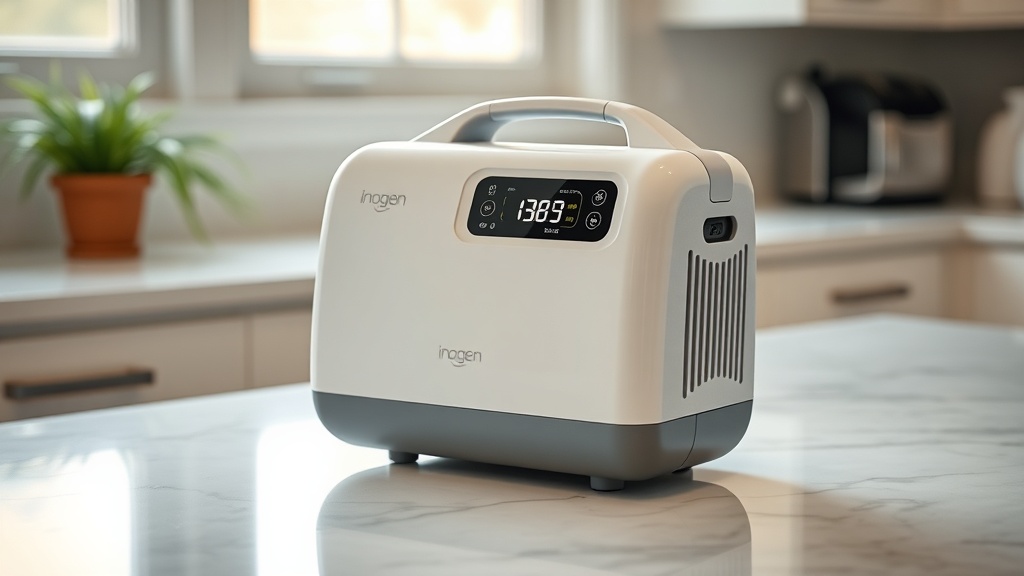
Understanding the pulse dose settings on your Inogen One G5 is crucial for getting the most out of your portable oxygen concentrator. These settings control how much oxygen you receive with each breath, directly impacting your comfort and clinical effectiveness. This guide breaks down each setting, explains how to choose the right one, and shares practical insights from experienced users.
What Exactly Are Pulse Dose Settings on the Inogen One G5?
Pulse dose settings, often labelled as settings 1 through 6 on the Inogen One G5, determine the volume of oxygen delivered in a short burst at the beginning of each inhalation. Unlike continuous flow, which delivers oxygen steadily, pulse dose conserves battery life and reduces waste by timing the oxygen delivery to your breathing pattern. The G5 uses a sensitive trigger to detect when you start to inhale, then releases a precisely measured bolus of oxygen.
The actual volume per breath varies by setting. Here is the approximate output for each setting at 20 breaths per minute, as specified by Inogen:
| Setting | Approximate Bolus Volume (mL) |
|---|---|
| 1 | 84 mL per breath |
| 2 | 126 mL per breath |
| 3 | 168 mL per breath |
| 4 | 210 mL per breath |
| 5 | 252 mL per breath |
| 6 | 294 mL per breath |
These values assume a typical breathing rate. If you breathe more slowly, the bolus volume may increase slightly; if you breathe faster, it may decrease. The G5 is designed to deliver a consistent total volume per minute across a range of breathing rates.
How Do I Choose the Right Pulse Dose Setting for Daily Use?
Choosing the correct setting depends entirely on your prescribed oxygen flow rate and your activity level. Your doctor or respiratory therapist will typically recommend a setting based on an oxygen titration test. For most users at rest, a setting of 2 or 3 is common. For sleep, you might use a slightly higher setting because breathing tends to become shallower.
During exercise, you may need to increase the setting by one or two levels. The G5 comes with a built-in activity tracker that can give you feedback on your breathing rate, which helps you gauge whether your current setting is sufficient. Always carry a portable pulse oximeter to confirm your oxygen saturation stays above 90% during activity.
It’s also important to consider your breathing pattern. If you are a shallow breather, the G5 may not trigger as reliably at lower settings. In that case, you might need to use a setting higher than what a continuous flow equivalent would suggest. Discuss this with your provider.
For reference, here is a simplified severity table to help you decide if your current setting is appropriate:
| Observation | What It Indicates |
|---|---|
| Oxygen saturation stays above 90% at rest and during light activity | Current setting is likely adequate. Monitor during physical exertion. |
| You feel short of breath or saturations drop below 88% during normal activity | Needs attention soon. Consult your provider about increasing the setting. |

What Should I Do If the Pulse Dose Feels Too Weak or Too Strong?
If the pulse dose feels too weak, the most common cause is an improperly fitted nasal cannula or a blocked tubing. A kink or leak can prevent the concentrator from sensing your breath correctly. Check the cannula prongs fit snugly in your nostrils and that the tubing has no sharp bends. If the issue persists, try cleaning the cannula or replacing it.
Another possibility is that your breathing rate is very fast (over 30 breaths per minute) or very slow (under 12 breaths per minute). The G5’s pulse dose system is calibrated for typical adult breathing rates. If you breathe extremely fast, the bolus volume may decrease because the machine cannot recharge the oxygen reservoir quickly enough. Slow breathing may cause the bolus to feel more intense because the reservoir has more time to fill. In such cases, you might need to adjust the setting or discuss alternative delivery modes with your clinician.
If the pulse dose feels too strong, try reducing the setting by one level and monitor your saturations. You might also benefit from a different type of nasal cannula, such as one with smaller prongs or a more comfortable fit. The sensation of “too strong” can also be a sign that the oxygen is drying out your nasal passages. Using a humidifier or saline spray can help.
How Does the Inogen One G5 Pulse Dose Compare to Continuous Flow?
Continuous flow delivers a steady stream of oxygen, typically measured in litres per minute (LPM). Pulse dose, on the other hand, delivers a fixed volume per breath. The G5 is primarily a pulse dose device, though it does offer a continuous flow setting of 0.5 LPM for specific needs. The reason the G5 emphasises pulse dose is efficiency. Because it only delivers oxygen when you inhale, it uses significantly less battery power per hour. On a standard battery, you can expect around 3 to 5 hours of pulse dose use at setting 2, compared to only about 1.5 hours at continuous flow.
For many users, a pulse dose setting of 4 is roughly equivalent to 1 LPM of continuous flow, but this varies. The U.S. Food and Drug Administration (FDA) does not require a direct equivalence, so the best way to find your setting is through oximetry guidance. If you are used to continuous flow at home, you may need to adjust to the sensation of pulse dose, which feels like a brief puff of air at the start of each breath.
If you require continuous flow for sleep or because of a medical condition like neuromuscular weakness, the G5 might not be the ideal portable device. For most ambulatory oxygen users, pulse dose is perfectly adequate and offers superior battery life and portability.
Can I Adjust Pulse Dose Settings While Using the Inogen One G5?
Yes, you can change the pulse dose setting at any time while the G5 is operating. Simply press the up or down arrow buttons on the control panel. The display will show the new setting immediately. There is no need to turn the device off or restart it. However, it is good practice to wait a minute after changing the setting to allow your body to adjust before checking your oxygen saturation again.
One practical tip: if you are switching between rest and activity, you can increase the setting temporarily during exertion and then lower it again after you cool down. Many users keep their G5 at setting 2 or 3 for resting and bump it to 4 or 5 for walking up stairs or carrying groceries. Always consult your provider for personalised recommendations.
Remember that changing the setting will affect battery life. A higher setting uses more oxygen per breath, which can reduce total runtime by 20 to 30 percent compared to a lower setting. Plan your battery usage accordingly, especially when travelling. For more on battery management, see our Inogen One G5 Buying Guide: What to Know Before You Buy.
What Are Common Mistakes When Using Pulse Dose on the Inogen One G5?
The most frequent mistake we observe is using the wrong cannula. The G5 works best with a standard nasal cannula with tubing of 7 to 10 feet. Very long tubing (25 feet or more) can create too much resistance, reducing the effectiveness of the pulse dose trigger. Similarly, cannulas with a large internal diameter (like those used for high-flow systems) may not trigger reliably.
Another common error is ignoring the “no breath” alarm. If the G5 does not detect a breath for about 30 seconds, it will alert you. Some users mistakenly think the machine is malfunctioning, but this alarm is a safety feature indicating the cannula may have dislodged or you may be breathing through your mouth. Always check your cannula position first.
Users also sometimes confuse pulse dose settings with continuous flow equivalents. Do not assume setting 3 equals 3 LPM. As noted, setting 3 is roughly equivalent to 0.75 to 1 LPM of continuous flow, not 3 LPM. Over-oxygenation can be dangerous for some patients, so always follow your prescription.
For troubleshooting other issues, consult our Inogen One G5 Error Codes: Troubleshooting Guide.
What Owners Say
We spoke with several long-term Inogen One G5 users to get their real-world experience with pulse dose settings.
Margaret, a 68-year-old from Florida, notes: “I started on setting 2 at rest, but after a few weeks, I realised I was still a bit short of breath when walking around the house. I bumped it to setting 3 and checked my oximeter—it made all the difference. Now I keep it on 3 for most of the day and switch to 4 for exercise. The battery still lasts me over four hours.”
David, who uses his G5 for travel, shares: “The pulse dose works great on airplanes, but I had to learn the hard way not to change the setting during takeoff and landing because the pressure changes mess with the trigger. I just leave it on my usual setting now. The airline staff were very helpful when I had questions.” For tips on carrying your unit, see our Best Travel Cases for Inogen One G5.
Another user, Susan, emphasises the importance of cleaning: “At first, I thought my pulse dose was weakening, but then I cleaned the intake filter and it was like a new machine. That simple maintenance step fixed the problem right away.”
Frequently Asked Questions
What does pulse dose setting 4 mean on the Inogen One G5?
Pulse dose setting 4 delivers approximately 210 mL of oxygen per breath at a rate of 20 breaths per minute. It is roughly equivalent to 1 LPM of continuous flow for many users, but the exact equivalence varies. You should verify your oxygen saturation with a pulse oximeter.
Can I use the Inogen One G5 with continuous flow instead of pulse dose?
The G5 offers one continuous flow setting of 0.5 LPM. For higher continuous flow needs, the device is not suitable. However, its primary mode is pulse dose, which is more battery efficient and adequate for most ambulatory users requiring up to 5 LPM equivalent.
How do I know if my pulse dose setting is too low?
Signs of a low setting include feeling short of breath, experiencing oxygen saturation below 90% on a pulse oximeter, or noticing increased fatigue during normal activities. If you have any of these symptoms, increase the setting by one level and monitor your saturation.
Does the Inogen One G5 automatically adjust pulse dose?
No, the G5 does not automatically adjust pulse dose settings. You must manually select the setting using the control panel. The device does have a built-in activity sensor that can help you track your breathing rate, but it does not change the oxygen output on its own.
Why does my Inogen One G5 feel like it’s not giving enough oxygen at higher settings?
This can happen if the nasal cannula is improperly fitted, the tubing is kinked, or the intake filter is dirty. Check the cannula and filter first. If the problem continues, you may have a breathing pattern that the pulse dose trigger doesn’t detect well. Try a different cannula style or consult your respiratory therapist.
Can I use pulse dose while sleeping?
Yes, many users use pulse dose while sleeping. However, because breathing patterns change during sleep, you may need a higher setting to maintain adequate saturation. Some users prefer continuous flow overnight, but the G5’s continuous flow is limited to 0.5 LPM. For sleep, discuss your needs with your provider.